How it works
One system. One team.The AI receptionist and CRM, working as one.
Leads come in from your ads, Google, your website and referrals. The AI receptionist answers your phone. Vesaya takes it from there, from booked to paid, on your computer and your phone.
The Viridia Partnership has three parts: lead sources that bring the calls, an AI receptionist and missed-call text-back on your phone line, and Vesaya, the app where every lead gets booked, dispatched, estimated, invoiced and paid. We connect it all and manage your marketing with you. Most clients are live in about a week, and it costs $897 a month, month to month.
The Partnership in one picture
Three parts,working as one.
Ads and lead sources
Yelp ads (if we run them for you), Google, your website and referrals. Every lead carries where it came from, so you can see which source sends the work.
The AI receptionist
Answers your business line day or night and books the visit. Missed-call text-back texts anyone who slips through, in seconds. We set this up for you today.
Vesaya, desktop and phone
Leads, the schedule, the crew, estimates, invoices and payments in one app. She drafts, you approve. Launches November 16, 2026.
How a lead flows
From the first callto money in the bank.
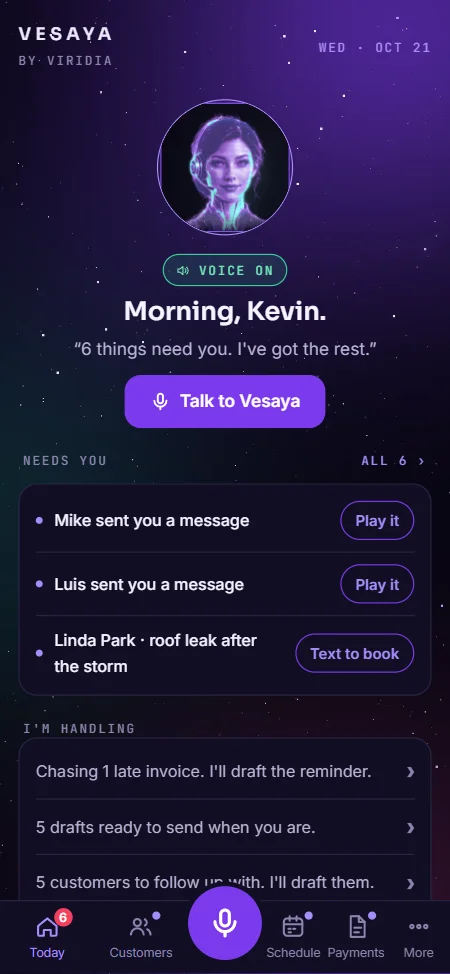
Here is one job, start to finish. Every screen below is the real Vesaya app, loaded with a sample business.
Step 1 · It comes in
A lead shows up,and you know where from.
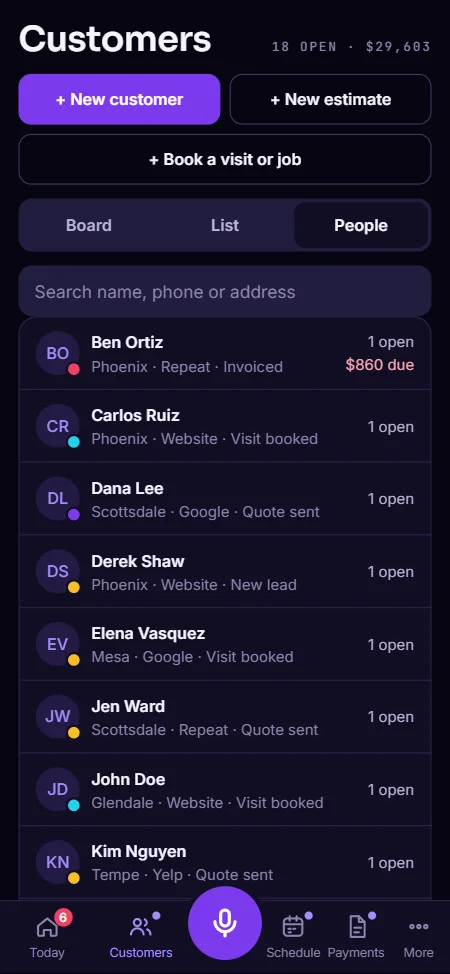
A Yelp request, a Google call, your website form or a referral. Every customer in Vesaya carries their source, their city and their open jobs or money due. So when the work comes in, you can see which lead source sent it.
Step 2 · It gets answered
Somebody picks up,even when you're on a roof.
The AI receptionist answers your business line, confirms you do the work, and books the visit. If a call slips through, missed-call text-back sends a text in seconds. This runs on your phone line, and we set it up for you today.
Step 3 · It lands in Vesaya
Tagged with its source,with a clock on it.
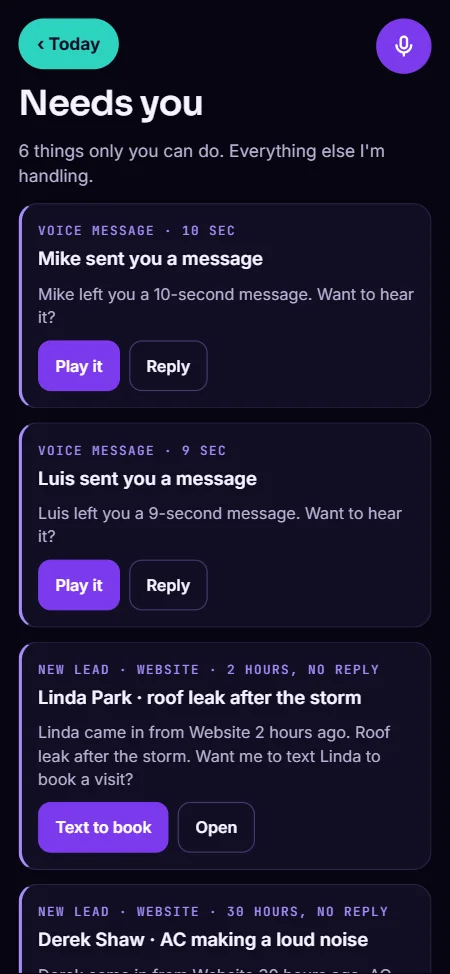
Website, Google, Yelp and referral leads land in Vesaya tagged with where they came from, and she shows how long each one has waited. If it still needs a reply, it's on your Needs you list with one button: Text to book. The pipeline shows every lead, quote, job and payment, and who has gone quiet.
Step 4 · Booked and dispatched
On the schedule,and the crew knows.
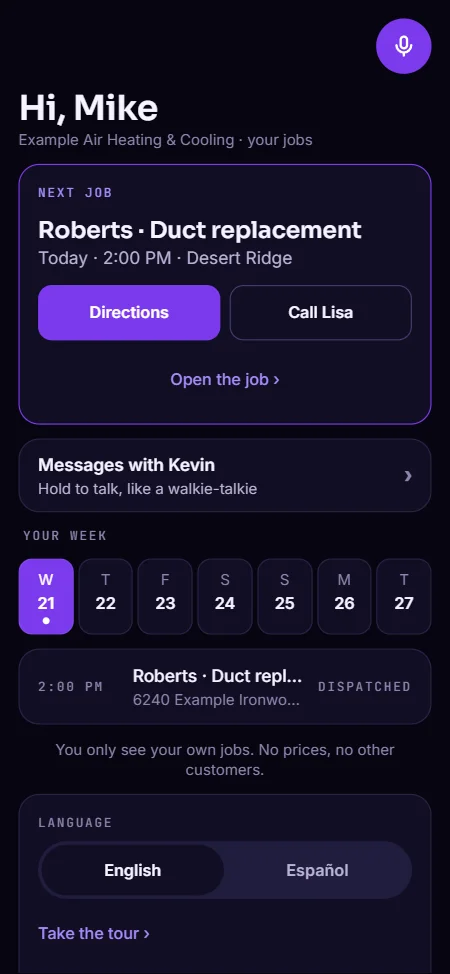
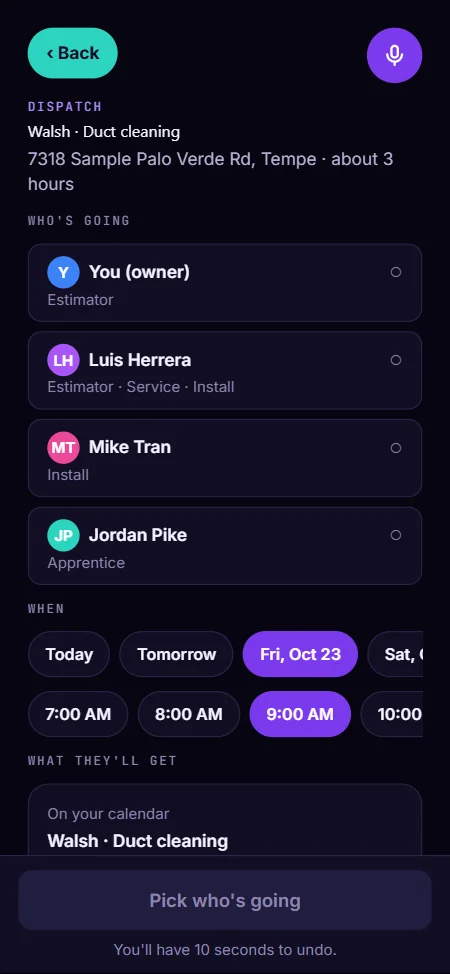
Pick who's going, the day and the time, or just say it. The job shows up on the week, color coded by crew member. Your tech sees it on their own phone, with only their jobs and no prices.
Step 5 · The estimate
Your prices, your logo,sent from the driveway.
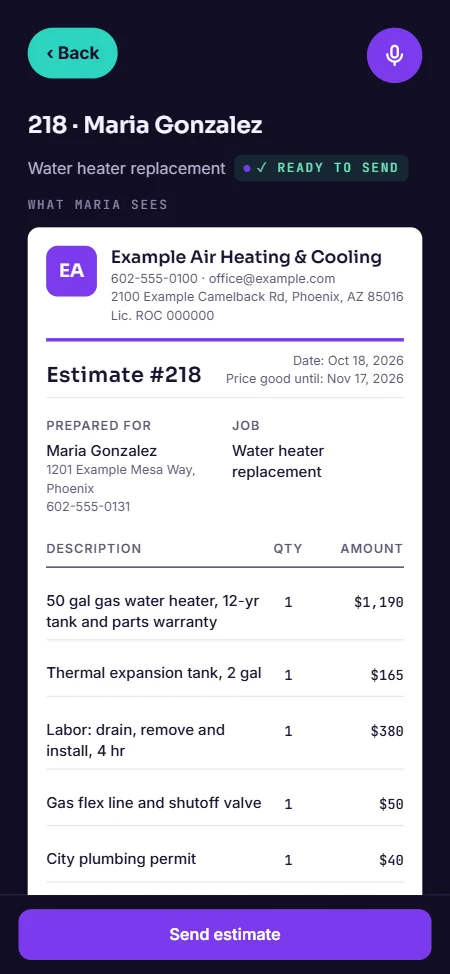
Tell Vesaya what the job is. She drafts the estimate in your own prices, reads it back, and brands it with your logo and license number. You say send, and it goes to the customer by text.
Step 6 · The invoice
Job done,invoice out the same day.
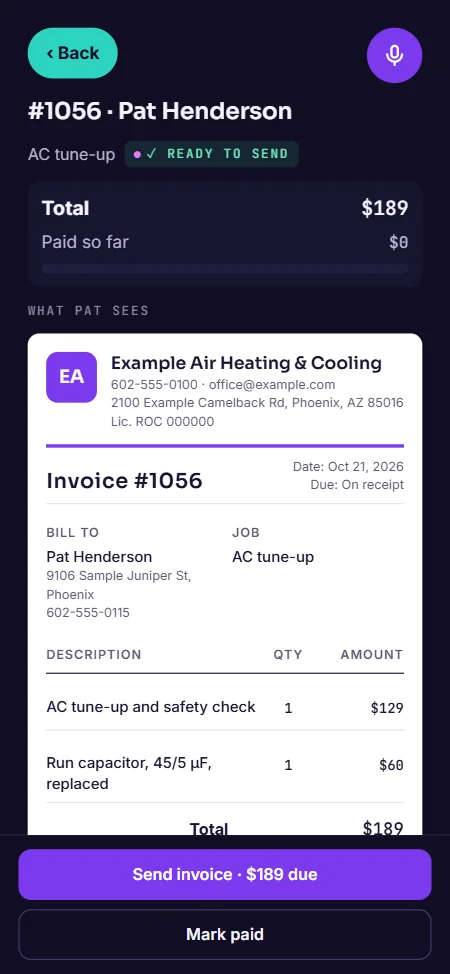
When the work is done, the invoice is ready with a pay link. You say send, it goes out by text, and the invoice is marked paid when the money comes in.
Step 7 · Paid
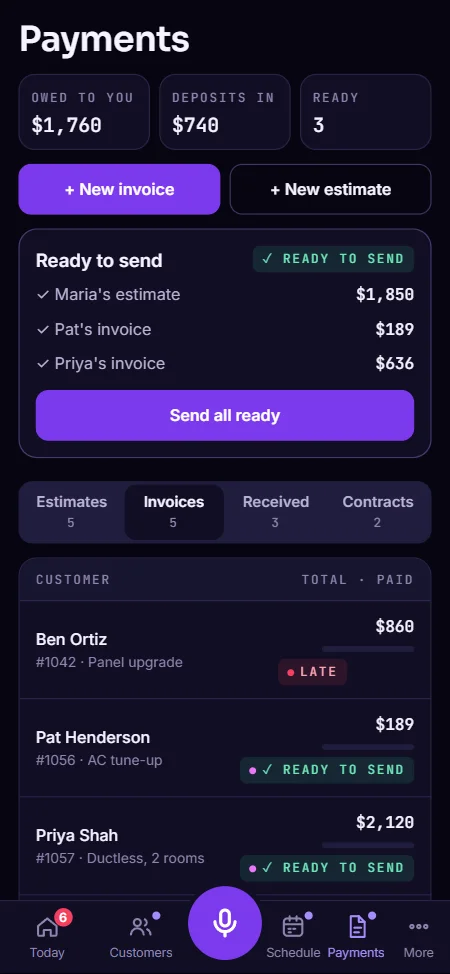
Ask who owes you.Get one answer.
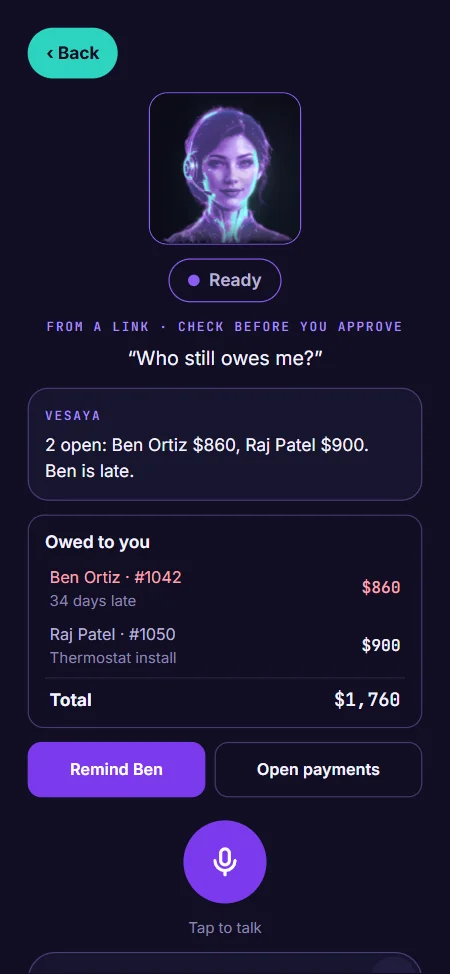
“Who still owes me?” She answers out loud, with a Remind button. The Payments screen shows what's owed, deposits, what's ready to send and what's late. She drafts the reminder, you say send.
Every morning
She brings you what needs you.Nothing else.
The Today screen opens with one line: how many things need you, and that she has the rest. Crew voice messages, new leads to text back, late invoices with a reminder drafted. You handle what's yours and get back to work.
- The customer taps Approve right on the branded estimate page.
- “On my way” texts to the customer.
- Leads and calls from your existing Viridia CRM account, including the ones the AI receptionist books, flowing straight into Vesaya.
- Ad spend next to each lead source, so you see what each dollar booked.
- Automatic follow-up sequences.
What it costs
One price for the whole Partnership.
Vesaya launches on November 16, 2026. Until then, clients run on the current Viridia CRM, and we move each one to Vesaya together, on a call. The receptionist stays on the current system until it comes to Vesaya.
The Viridia Partnership
The AI receptionist and missed-call text-back, Vesaya on desktop and phone, plus your Google Business Profile and Yelp page connected, and a direct line to our team. Month to month, with 30 days' notice. No setup fee.
Prefer to run it yourself? Vesaya is $119/mo at vesaya.app (owner + 2 seats), and the AI receptionist is coming to it as an add-on. You set it up and run it; the Partnership is for owners who want it done with them.
FAQ
Questions about how it works
How does The Viridia Partnership work?
Do I run it from my phone or a computer?
Does anything go to a customer without my OK?
What happens before Vesaya launches?
Does Vesaya send follow-ups automatically?
How much does it cost?
Last checked
Related pages
Phoenix metro · Month to month
See if you're a fit
Thirty minutes on where your leads are getting dropped and whether this is worth doing. If it's not, we'll say so.